- Find the best broker for your trading needs
- Compare spreads, fees, and platforms
- Read in-depth reviews and analysis
FxScouts helps traders across the globe by meticulously testing and reviewing online brokers and providing Forex education and market analysis. Our partners compensate us through paid advertising. While partners may pay to provide offers or be featured, they cannot pay to alter our recommendations, advice, ratings, or any other content. Our content and research teams do not participate in any advertising planning nor are they permitted access to advertising campaign data. For more detailed information click this link.
Having a reliable Forex trading app is essential for every trader. Whether you’re just starting out or have years of experience, the ability to monitor the markets, manage your trades, and access tools directly from your mobile device can make a huge difference.
In this guide, we review the best Forex trading apps of 2026 tailored specifically for Kenyan traders. These apps offer powerful features such as real-time data, intuitive interfaces, risk management tools, and advanced charting – everything you need to trade Forex on the go. With this comprehensive list, you’ll discover which Forex trading app best fits your trading style and goals.
Trusted. Transparent. Tested.
For over a decade, we’ve set the standard in forex broker reviews—collecting thousands of data points yearly to deliver unbiased, expert-backed insights.
Skip the trial and error! Below, you’ll find the best forex brokers for Kenyan traders for 2026—thoroughly tested, verified, and ranked, so you can trade with confidence.
Swipe to scroll
Broker | Overall Rating Our overall rating evaluates brokers on platform quality, fees, service, regulation, and instruments. Higher scores reflect better performance and reliability. | Official Site Click to visit the broker’s official website for more information and to open an account. | Min. Deposit The minimum amount of money required to open an account with this broker. | Regulators Displays the financial regulators licensing the broker, shown by national flags, ensuring compliance with financial standards for safer trading. | Mobile App | Compare Select two brokers using the checkboxes to compare their features, fees, platforms, and more side by side. | ||
|---|---|---|---|---|---|---|---|---|
USD 100 | AvatradeGo | |||||||
USD 0 | MT5 App | |||||||
USD 0 | HF App | |||||||
USD 5 | XM App | |||||||
USD 3 | MT5 App | |||||||
USD 0 | MT4 App | |||||||
USD 100 | FxPro App | |||||||
USD 10 | Naga App | |||||||
USD 200 | MT5 App |
Find Your Ideal Forex Broker
0.9 pips
FRSA, CBI, FSCA, ASIC, CySEC
USD 100
AvaOptions, Avatrade Social, MT5, MT4
400:1
The app includes real-time market sentiment tools and intuitive dashboards for beginners and advanced users alike
Allows you protect trades for a set period and get your loss refunded if the market moves against you
Copy top traders directly from your app without switching platforms
Globally regulated, including by the FSCA in Africa, boosting credibility for Kenyan traders
The powerful trade protection is limited to AvaTradeGO only
Maximum leverage is capped depending on regulation, unlike some other brokers
AvaTrade | Best for: Kenyan traders who want an all-in-one mobile trading app with automated insights and risk protection features
FxScouts
0 pips
CMA, BaFin, ASIC, FCA, CySEC
USD 0
Pepperstone Platform, TradingView, cTrader, MT5, MT4
400:1
Choose your preferred platform with excellent mobile optimization across all devices
Ideal for scalpers and active traders with spreads starting from 0.0 pips
Mobile access to copy top-performing traders via cTrader Copy functionality
Regulatory presence in the region ensures greater trust and support for local clients
Entry cost may be slightly higher for absolute beginners
Pepperstone | Best for: Kenyan traders who value low spreads and seamless integration with top platforms like MT4, MT5, and cTrader
FxScouts
0.0 pips
FSA-Seychelles, FSC, DFSA, FSCA, FCA, CySEC
USD 0
HFM Trading App, MT5, MT4
400:1
Trade, manage funds, and access analysis in one beginner-friendly interface
Real-time trading signals and news updates directly on mobile
Supports M-Pesa and local bank transfer for deposits and withdrawals
Strong regulatory coverage for Kenyan traders increases trustworthiness
Auto-trading via MT5 signals not directly available through HF App
Not optimal for scalpers or low-cost strategy users
HFM | Best for: New Kenyan traders seeking an all-in-one mobile trading app with embedded education and multi-lingual support
FxScouts
0.6 pips
FSC, ASIC, CySEC
USD 5
MT5, MT4
1000:1
Clean, intuitive mobile interface that supports trading, analytics, and education
Integrated directly into the app for continuous learning
Access no-deposit and deposit bonuses directly via mobile registration
Seamless mobile versions for those who prefer MetaTrader platforms
Only supports external platforms like MT5 Signals for copying trades
Some asset classes are restricted on mobile platforms
XM | Best for: Kenyan beginners who need a multilingual, easy-to-use app and free access to trading education in-app
FxScouts
0.1 pips
CMA, FSA-Seychelles, FSC, B.V.I FSC, FSCA
USD 3
Exness Terminal, MT5, MT4
Unlimited:1
Trade, deposit, and withdraw seamlessly with ultra-fast execution
Fast and cost-effective payments for Kenyan traders
Traders can access extremely high leverage after meeting volume criteria
Automated withdrawal processing means no waiting time
Exness app is focused on execution; not ideal for in-depth charting
Requires separate platform or service for copy trading functionality
Exness | Best for: Kenyan traders who need fast withdrawals, high leverage, and a simplified mobile app with local payment support
FxScouts
Before choosing a Forex trading app, it’s important to know the basics – how they work and how they differ from desktop platforms.
A Forex trading app is a mobile-based software tool that allows you to access the financial markets from your smartphone or tablet. These apps are developed either by Forex brokers (proprietary apps) or by third-party developers such as MetaQuotes (creators of MetaTrader 4/MetaTrader 5). Proprietary apps often feature simplified user interfaces because they are designed with beginner traders in mind. Third-party platforms, on the other hand, usually offer more advanced features suitable for experienced traders.
Forex trading apps generally allow you to:
Some of the most popular trading apps used by Kenyan traders, such as those from HFM and Exness, offer KES-denominated accounts, support instant M-Pesa deposits, and comply with regulations set by the Capital Markets Authority (CMA) of Kenya, making them well-suited to local traders’ needs.
While both apps and desktop platforms connect to the same trading infrastructure, their practical use cases differ:
Trading apps are as safe as the broker behind them. For Kenyan traders, safety starts with using a broker regulated by the CMA or other top-tier regulators like the FCA or ASIC. Additional safety considerations include:
Remember: App security only protects your data. The financial risk of trading remains high, especially with leverage. Use trading apps responsibly and only risk capital you can afford to lose.
Our editorial team—comprising Forex traders, analysts, and technical testers—evaluates apps against a fixed methodology:
With the right Forex trading app, you can stay updated with the latest market news, access charts, conduct technical analysis, and carry out trades—all from the convenience of your smartphone or tablet. Here is a more detailed overview:
Regulation should be your top priority when choosing a Forex trading app or broker in Kenya. The Capital Markets Authority (CMA) is the official financial regulator responsible for overseeing Forex brokers and ensuring they comply with strict financial standards.
The CMA requires licensed brokers to:
Be especially cautious of brokers falsely claiming to be regulated or misusing license numbers from unrelated entities. If a broker is not licensed by the CMA, you may not have legal protection in case of fraud or insolvency.
Don’t just focus on spreads—there are other hidden costs that can impact your profitability. Kenyan traders should also consider:
Commissions – Fixed fees per trade on certain account types
Swap/Overnight Financing Charges – Fees for holding positions overnight
Withdrawal Fees – Especially if using wire transfers or foreign payment methods
Inactivity Penalties – Charged if your account goes unused for a period
Currency Conversion Costs – If your deposits or trading account are in USD or EUR instead of KES
Some brokers may promote low spreads on major pairs like EUR/USD but apply higher fees on instruments like Gold, stock indices, or crypto CFDs.
Reputable brokers list all fees under sections like “Contract Specifications” or “Trading Conditions.” Be sure to understand the total cost of trading, not just on majors like EUR/USD, but also on any alternative instruments you may want to trade in the future.
A good trading app should offer an intuitive experience. Whether a beginner or an experienced trader, you need easy navigation, fast access to tools, and support for your trading style. Choose an app that works well on your device—some apps are poorly optimised for iOS or Android, so testing the demo version first is always recommended.
Speed and reliability in trade execution are essential. Delays, slippage, or frequent “off quotes”—errors that are common with less liquid instruments like stocks or during volatile market events—can hurt your results. Look for apps from brokers that offer fast order execution (preferably with a Straight-Through Processing (STP) model) and clearly disclose their execution policies, including how they handle slippage and order rejection.
Apps with poor execution or frequent pricing issues should be avoided. Testing execution during peak hours on a demo account can help identify problems before you commit real capital.
Choose an app that gives you access to real-time market data, advanced charting, and essential tools like technical indicators, drawing tools, and automated alerts. Apps like MetaTrader 4 (MT4) or MetaTrader 5 (MT5) usually offer excellent charting features and support for custom indicators, while some proprietary apps may lack depth.
Also, ensure the app supports third-party integrations if needed. Some brokers allow trading directly from platforms like TradingView, which can enhance your charting experience.
Practising with a free demo account is vital. Most Forex trading apps offer this feature, but check the terms—some brokers may restrict demo use after periods of inactivity. For example, Exness may archive MT5 demo accounts after 21 days of inactivity. Ensure the app lets you easily recreate demo accounts if needed and doesn’t impose unnecessary limitations.
A wide selection of instruments is essential, especially if you want to diversify. Some apps only offer a limited subset of CFDs compared to their desktop platforms. Before committing, ensure the app includes the instruments you trade most, whether it’s Forex pairs, metals, indices, or cryptocurrencies. Check the broker’s website or ask support for the full list of tradable instruments on mobile.
Answers to some of the most common questions about trading apps.
Yes, most trading apps are compatible with both Android and iOS devices. They can be downloaded from the Google Play Store or Apple App Store. Additionally, many brokers offer web-based platforms accessible through mobile browsers.
While downloading and using the app is typically free, trading may involve costs such as:
Reputable trading apps implement strong security measures, including:
Always ensure you download apps from official sources and keep them updated.
Yes, most major trading apps such are optimised for tablets and iPads. You can trade using the same account across mobile and desktop devices, making it easier to manage trades on the go or at home.
For beginner traders in Kenya the best forex trading apps are those that are well-regulated, user-friendly, and provide access to free demo accounts.
Key Features to Look For:
The minimum deposit varies by broker. Some brokers allow deposits as low as 10 USD, while others may require higher amounts. It’s advisable to check with individual brokers for their specific requirements.
Yes, you can absolutely download and use more than one Forex trading app on your phone or device. Many Kenyan traders do this to take advantage of different brokers’ strengths.
Whether you’re on Android or iOS, these trading apps function just like any other app on your device. You can easily switch between them depending on what you’re trading, your strategy, or even which broker offers better conditions at a given time.
Trading Forex from your phone is simple if you’re using the right trading app—especially one that’s well-regulated and offers fair pricing, security, and ease of use. Here’s a step-by-step guide for Kenyan traders:
1. Choose a Forex Trading App
Start by selecting a reliable Forex trading app that is regulated by the CMA (Financial Sector Conduct Authority) or by any other top-tier regulator like the FCA or ASIC to ensure your funds are protected.
2. Open a Trading Account
Once you’ve chosen your app, register for a live trading account. You’ll need to complete a verification process by submitting your ID, proof of residence, and sometimes a bank statement to comply with regulations.
3. Fund Your Account
Deposit money into your account using a method that suits you. Some apps offer local payment options like M-Pesa, bank transfers from Equity, KCB and Absa or credit/debit cards, with funding often processed instantly or within a few hours.
4. Select a Currency Pair
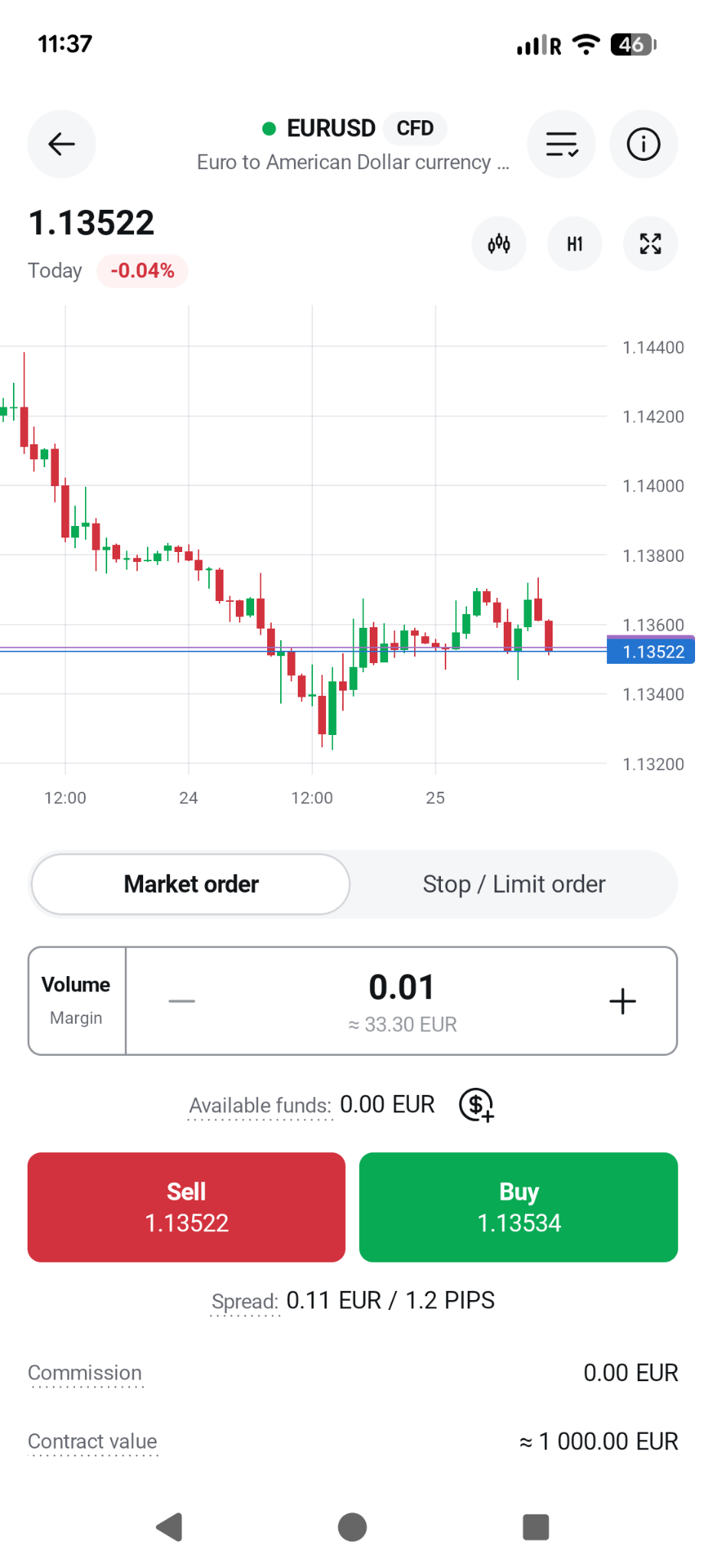
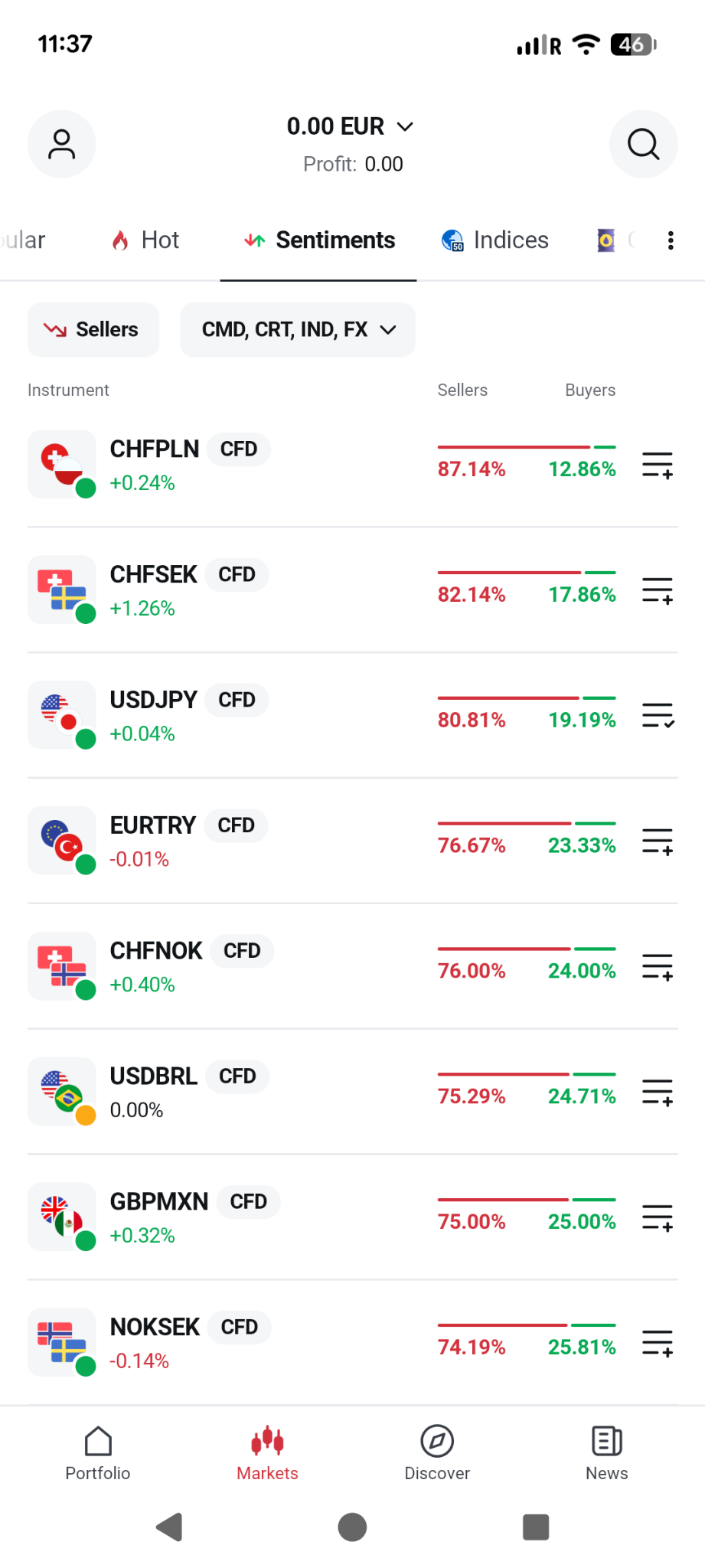
Browse the app’s instrument list and search for the Forex pair you want to trade—such as USD/ZAR, EUR/USD, or GBP/ZAR. Apps usually have a search bar or category filters to help you find the right instrument.
5. Place Your Order
You can buy Forex using one of two main order types:
6. Confirm the Trade
Before finalising the purchase, the app will show a summary of your order, including the currency pair, order type, trade size, and any applicable fees. Double-check the details and tap “Buy” to place the order.
7. Track and Manage Your Trade
You can monitor your open positions and overall performance under the “Portfolio” or “Positions” tab. Most apps also let you set stop-loss and take-profit levels to manage your risk.
Explore more resources that fellow traders find helpful! Check out these other guides to enhance your forex trading knowledge and skills. Whether you’re searching for the best brokers, educational material, or something more specific, we’ve got you covered.
60-90% of retail traders lose money trading Forex and CFDs. You should consider whether you understand how CFDs and leveraged trading work and if you can afford the high risk of losing your money. We may receive compensation when you click on links to products we review. Please read our advertising disclosure. By using this website, you agree to our Terms of Service.